Identità digitale e Smart ID: cosa sono e come si usano
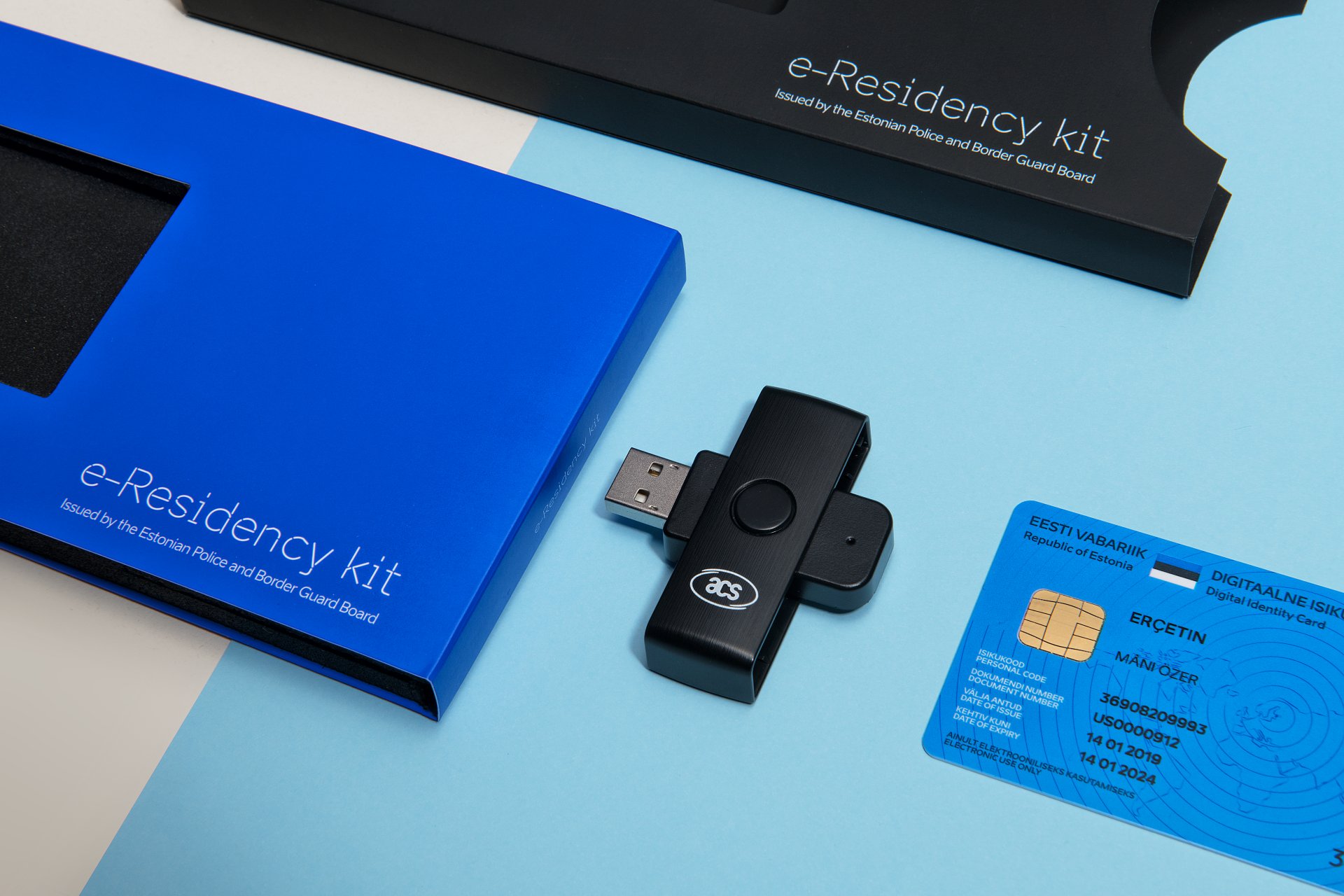
Un ID digitale è un’identità elettronica che ti permette di dimostrare chi sei online, firmare documenti e usare servizi digitali affidabili senza doverti recare in un ufficio. Smart ID, detto anche Smart-ID, è uno strumento basato su app che permette di effettuare accessi sicuri, approvare transazioni e apporre firme digitali. Per gli imprenditori, l’ID digitale dell’e-Residency estone permette di gestire le attività aziendali online, compresa la firma di documenti e l’accesso ai servizi ufficiali per le imprese.
Cosa sono l’ID digitale e lo Smart ID?
Un ID digitale è il tuo identità verificata online. Collega la tua identità reale a un certificato elettronico, così un servizio online può verificare che chi sta effettuando l'accesso sia davvero tu. In Estonia, può trattarsi di una carta d'identità, di un Digi-ID, di una carta di soggiorno o dell'ID digitale dell'e-Residency.
Il termine "Smart ID" viene comunemente usato per indicare Smart-ID, un strumento per la gestione dell'identità basato su app da usare su un dispositivo smart. Invece di inserire una carta nel lettore, confermi l'operazione nell'app. Il sito ufficiale ID.ee: Presentazione di Smart-ID spiega che Smart-ID può essere utilizzato per accedere ai servizi online, confermare transazioni e firmare documenti.
Il vantaggio pratico è semplice. Questi strumenti aiutano gli utenti a accesso sicuro, firme elettroniche e amministrazione online quando il servizio accetta quel metodo.
Digital ID vs Smart-ID: le differenze principali
L'ID digitale e lo Smart-ID possono sembrare simili perché entrambi ci aiutano a identificarci online. La differenza sta nella configurazione. Un ID digitale è solitamente collegato a una tessera o a un documento rilasciato dallo Stato, mentre lo Smart-ID è collegato a un'app registrata e a un dispositivo smart.
| Caratteristica | Identità digitale | Smart-ID |
| Formato | Tessera rilasciata dallo Stato o documento di identità digitale | Strumento per la gestione dell'identità basato su app |
| Uso principale | Accesso ufficiale, firma dei documenti e accesso ai servizi online | Accessi giornalieri, conferme e firma supportata |
| Requisito tipico | Carta valida, codici PIN, software e lettore di carte, se necessario | Dispositivo smart registrato, accesso a Internet, PIN1 e PIN2 |
| Il miglior rapporto qualità-prezzo per il backup | Utile quando non puoi usare il telefono o l'app | Utile quando non hai a disposizione un lettore di schede |
Prima di scegliere un metodo, controlla quali sono quelli accettati dal servizio. Alcune banche, portali pubblici e piattaforme private accettano diversi strumenti, mentre altre ne accettano solo uno. Una buona abitudine è quella di tenere più di un metodo di accesso, negozio Inserisci i codici PIN separatamente e prova accesso all'account prima della scadenza.
Come usare l'identità digitale nella pratica
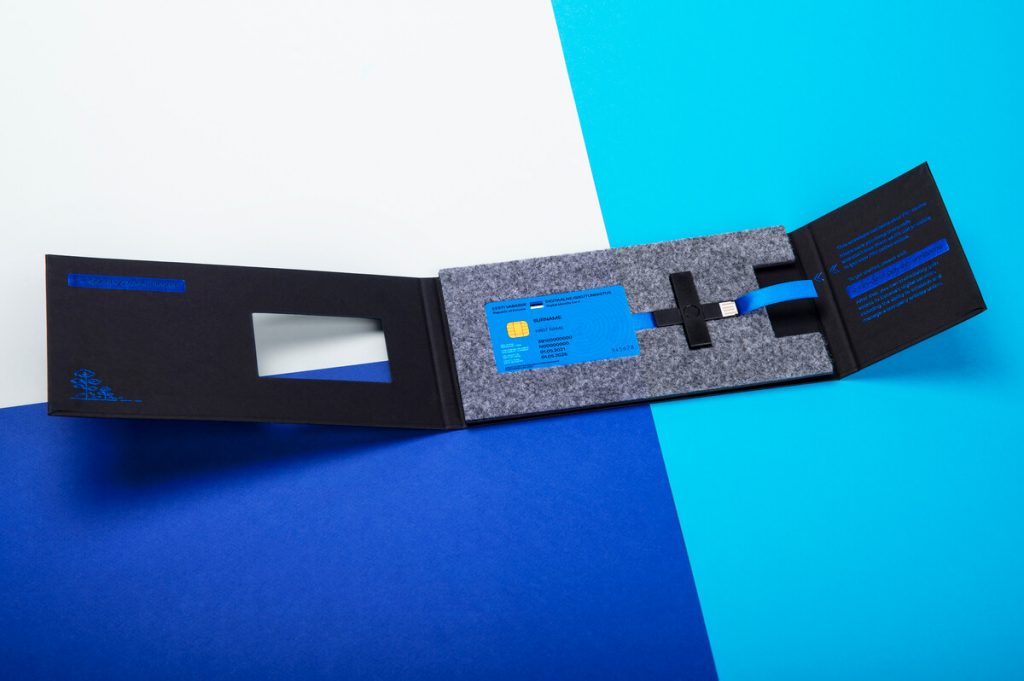
Per usare l’ID digitale, ti serve un documento d’identità valido e la configurazione tecnica corretta. Per gli utenti dell’e-Residency, il programma ufficiale descrive l’e-Residency come un’identità digitale rilasciata dal governo che offre agli imprenditori di tutto il mondo l’accesso remoto all’ambiente imprenditoriale digitale dell’Estonia e la possibilità di avviare un’azienda online tramite il sistema e-Residency. Dai un’occhiata al sito ufficiale Programma di e-Residency dell’Estonia per il processo e i requisiti attuali.
Nella pratica quotidiana, i passaggi sono solitamente i seguenti:
- Controlla che la tua tessera o il tuo documento digitale siano validi.
- Installa o aggiorna il software ID ufficiale.
- Collega un lettore di schede se la tua scheda lo richiede.
- Apri il servizio online e scegli l'opzione di accesso con l'ID digitale.
- Inserisci il PIN1 per autenticarti.
- Usa il PIN2 solo quando firmi o confermi un’azione con rilevanza legale.
I codici PIN non vanno mai presi alla leggera. PIN1 conferma l'accesso. PIN2 conferma il consenso. Il PUK potrebbe aiutarti a sbloccare i codici laddove tale opzione sia disponibile. Questo è importante perché una firma digitale può confermare un accordo, una richiesta o un’azione aziendale.
Come usare Smart-ID in modo sicuro
Smart-ID è utile quando un servizio supporta l'autenticazione tramite telefono. Seleziona Smart-ID nella pagina di accesso, controlla il codice di verifica mostrato dal servizio e confrontalo con quello visualizzato sul tuo dispositivo. Solo a quel punto dovrai inserire il PIN corretto.
Segui sempre questa procedura di sicurezza:
- Controlla il nome del servizio.
- Confronta il codice di controllo.
- Usa il PIN1 solo per accedere.
- Usa il PIN2 solo se capisci bene di cosa si tratta.
- Annulla la richiesta se noti qualcosa di strano.
Smart-ID è comodo, ma la comodità non dovrebbe mai sostituire la prudenza. Non approvare mai richieste da parte di sconosciuti. Non condividere mai i codici PIN. Non firmare mai un documento prima di leggere ciò che la firma conferma.
In che modo Silva Hunt ti aiuta con l'identità digitale e l'e-Residency
Per molti imprenditori, l’identità digitale è il modo più semplice per accedere all’ambiente imprenditoriale online dell’Estonia. Con la tessera di e-Residency puoi firmare documenti elettronicamente, presentare atti societari online e gestire molte pratiche amministrative senza doverti spostare ogni volta che devi firmare qualcosa.
Noi di Silva Hunt crediamo che l’utilizzo del sistema digitale estone debba risultare chiaro, strutturato e facile da gestire. L’Estonia è uno dei paesi più digitalizzati in materia di amministrazione aziendale, ed è proprio per questo che molti imprenditori internazionali scelgono la strada dell’e-Residency.
Silva Hunt aiuta i clienti che vogliono aprire un’azienda in Estonia tramite la pubblica amministrazione Programma di e-Residency. Il nostro team può aiutarti con formazione della società, sede legale e referente: procedura da seguire e consigli pratici prima e dopo la registrazione.
Aiutiamo inoltre i clienti a capire cosa bisogna firmare, quali documenti servono e quale sia il passo successivo. Se hai domande, Silva Hunt può aiutarti a trovare la soluzione giusta, così la tua e-Residency costituzione di una società sembra più semplice, dal primo colloquio fino alla conferma finale.
Consultazione gratuita
Avvia e gestisci la tua azienda estone completamente online
Dalla costituzione alla sede legale, passando per il software di contabilità, la dichiarazione dell'IVA e i rendiconti annuali, Silva Hunt aiuta gli e-residenti a gestire una società estone con un unico partner affidabile.

Errori comuni da evitare
La maggior parte dei problemi con l'ID digitale e lo Smart-ID deriva da approvazioni affrettate, software obsoleto o fraintendimenti riguardo al PIN2. Questi strumenti sono pensati per garantire la sicurezza, ma gli utenti devono comunque controllare ogni azione prima di confermarla.
Evita questi errori:
- Considerare il PIN2 come un normale codice di accesso.
- Approvare una richiesta senza controllare il codice di controllo.
- Tenere i codici PIN nella custodia del telefono o nel portafoglio.
- Aspettare fino all'ultimo giorno utile per verificare l'accesso.
- Ignorare gli aggiornamenti del software e dei certificati.
- Partendo dal presupposto che ogni sito web accetti qualsiasi metodo di autenticazione.
Se ti appare una richiesta senza che tu abbia fatto nulla, fermati e annullala. Non inserire il PIN. Accedi al servizio direttamente dal sito ufficiale o dall'app, poi controlla se c'è qualche operazione in sospeso. In questo modo proteggi il tuo identità, il tuo soldi e il tuo posizione giuridica.
Quando scegliere l'ID digitale, lo Smart-ID o entrambi
Di solito ti consigliamo di tenere attivi entrambi i metodi, se ne hai la possibilità. L’ID digitale ti offre un metodo di identificazione sicuro basato su documenti. Lo Smart-ID ti offre un metodo pratico basato su app per i servizi supportati. Insieme riducono il rischio di perdere l’accesso nel caso in cui un dispositivo, una carta o un servizio non siano disponibili.
Scegli l’ID digitale quando un ente pubblico o un portale aziendale ufficiale richiede un metodo basato su tessera. Scegli Smart-ID quando il servizio lo supporta e vuoi approvare un accesso o una firma dal tuo telefono. Per i documenti legali o aziendali, leggi sempre lo schermo prima di inserire il PIN2 e conserva il file finale firmato.
Per i fondatori, i liberi professionisti e chi gestisce un’attività da remoto, la soluzione migliore è quella più pratica: Tieni a portata di mano il tuo documento d'identità digitale, mantieni attivo Smart-ID e controlla l'accesso prima delle scadenze. Per assistenza in merito, dai un'occhiata alle nostre guide sulla costituzione di società in Estonia e sui servizi di e-Residency.
Una firma digitale non è solo un semplice clic. È una conferma che va data solo dopo aver verificato il documento, il servizio e l'azione richiesta.
Scritto da Dariia Khimichenko, responsabile marketing.